Adding n8n Instances
Connect your n8n deployments to Administrate.dev to start tracking workflows and executions.
Prerequisites
Before adding an instance, you need:
- An n8n deployment - Self-hosted n8n with API access enabled
- An API key - Generate one in n8n's Settings > API
- A company - The instance must be assigned to a company
Getting Your n8n API Key
- Log into your n8n instance
- Go to Settings > API
- Click Create an API key
- Copy the key (you won't see it again)
Adding an Instance
- Go to n8n Instances in the sidebar
- Click Add Instance in the top right
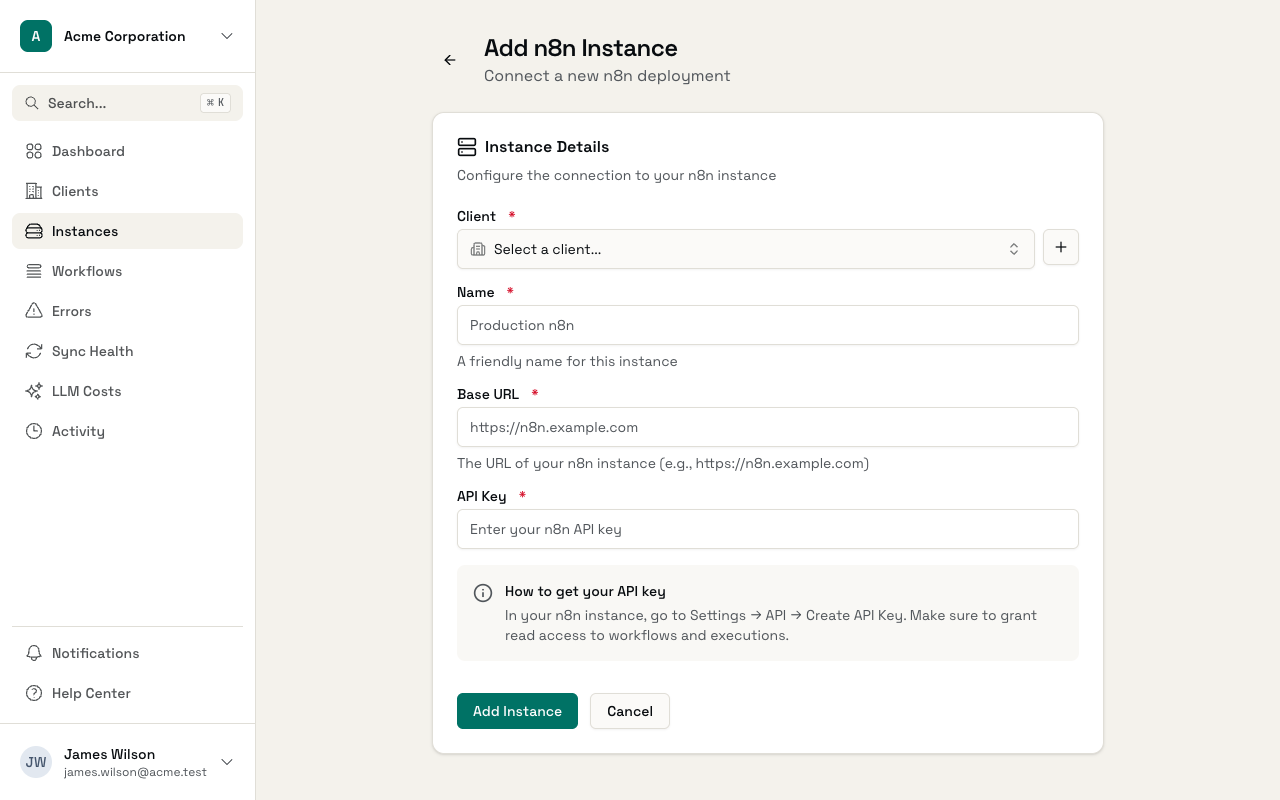
- Fill in the details:
- Company - Select which company this instance belongs to
- Name - A descriptive name (e.g., "Production", "Staging")
- Base URL - The URL of your n8n instance (e.g.,
https://n8n.yourcompany.com) - API Key - Your n8n API key
- Click Create Instance
Initial Sync
After creating an instance, Administrate.dev immediately:
- Validates the API key
- Syncs all workflows
- Starts syncing recent executions
You'll see the sync status on the instance detail page.
Sync Frequency
- Workflows - Synced every hour
- Executions - Synced every 5 minutes
This ensures you have near real-time visibility into workflow performance.
Plan Limits
The instance limit applies to the whole account:
- Free - 3 n8n instances
- Listing Pro - Unlimited n8n instances
The account gets the Listing Pro limit when at least one of its listings is on Listing Pro. The older Pro and Agency plans include Listing Pro, so they also have no limit.
Go to Settings > Plan and billing to see your current usage.