One Dashboard for All Your Automation Clients
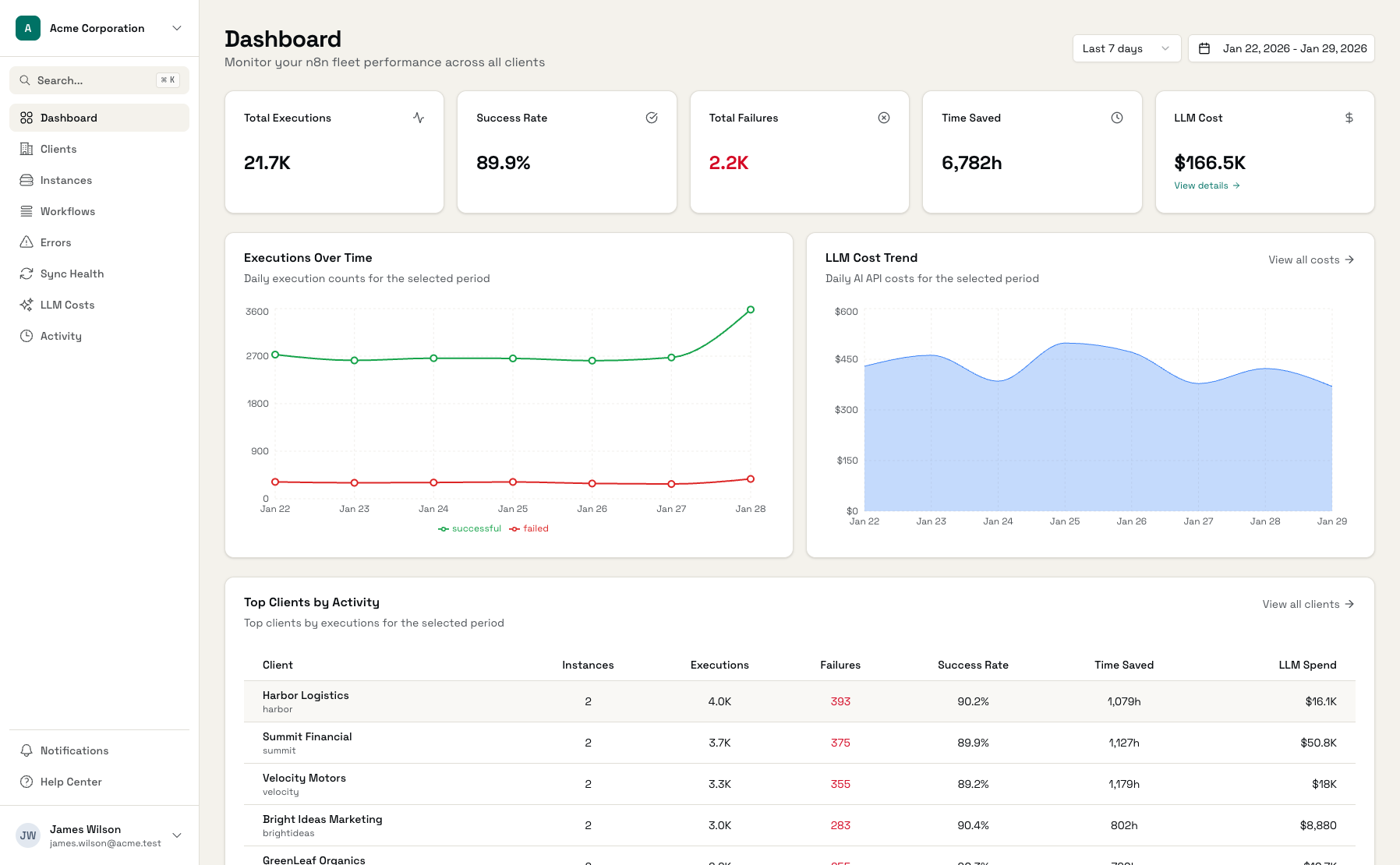
Stop switching between instances. See every workflow, every client, every failure in one unified view. Built for agencies, consultants, and teams managing automations at scale.
Based on Administrate production metrics
The Challenge of Automation at Scale
One instance is easy. Twenty across different clients is chaos without the right tools.
No Central Visibility
You're running automations across multiple clients or projects. Each has its own dashboard, its own login, its own metrics. Seeing the big picture means context-switching constantly.
Reactive, Not Proactive
You find out about failures when clients complain or processes break. By then, it's already an escalation. You need to know before anyone else does.
Manual Reporting
Stakeholders want to know if automations are working. You spend hours compiling metrics, building reports, and answering 'how many times did X run this month?'
Everything You Need in One Dashboard
Comprehensive monitoring for automation professionals.
Unified Dashboard
All your automation instances in one view. See total executions, success rates, and errors across your entire fleet at a glance.
Client Organization
Group automations by client, project, or team. Each grouping has its own metrics, making it easy to drill down when needed.
Error Intelligence
Every failure captured and categorized automatically. Auth errors, rate limits, data issues - filter by type to find patterns.
Real-Time Alerts
Get notified the moment something fails. Email and in-app notifications with smart cooldowns to prevent alert fatigue.
Time Saved Tracking
Configure how much time each automation saves. Track ROI automatically as workflows run and report on value delivered.
Workflow Insights
See execution counts, success rates, and duration trends for every workflow. Identify your most and least reliable automations.
Sync Health
Know instantly when data sync fails. Real-time status for every connected instance with manual sync triggers when needed.
Trend Analytics
See how automation performance changes over time. Week over week comparisons, success rate trends, and growth metrics.
See Your Automation Fleet
Real visibility into every workflow across every client.
Overview Dashboard
All clients and instances with key metrics at a glance
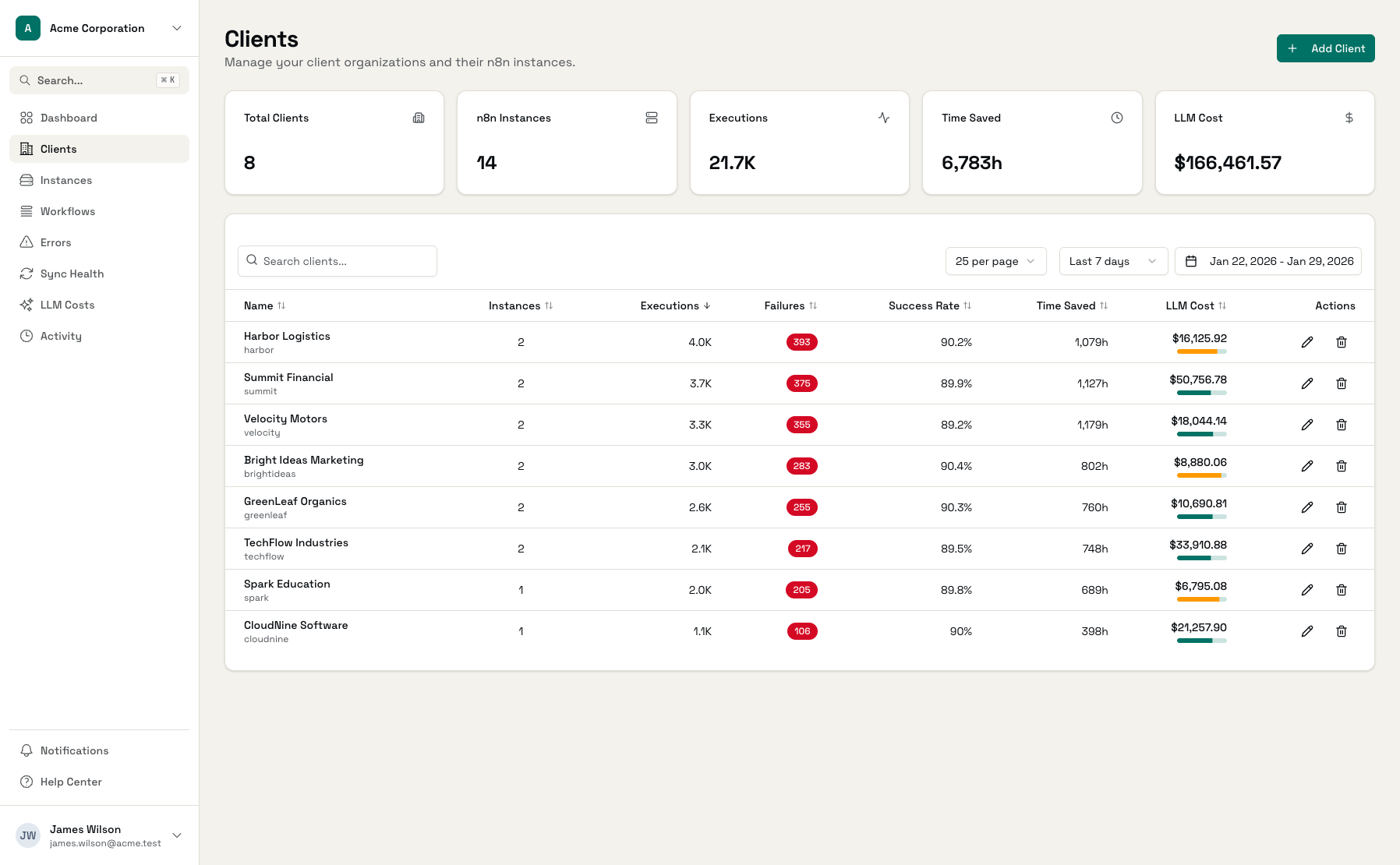
Client Details
Drill into any client to see specific workflow performance
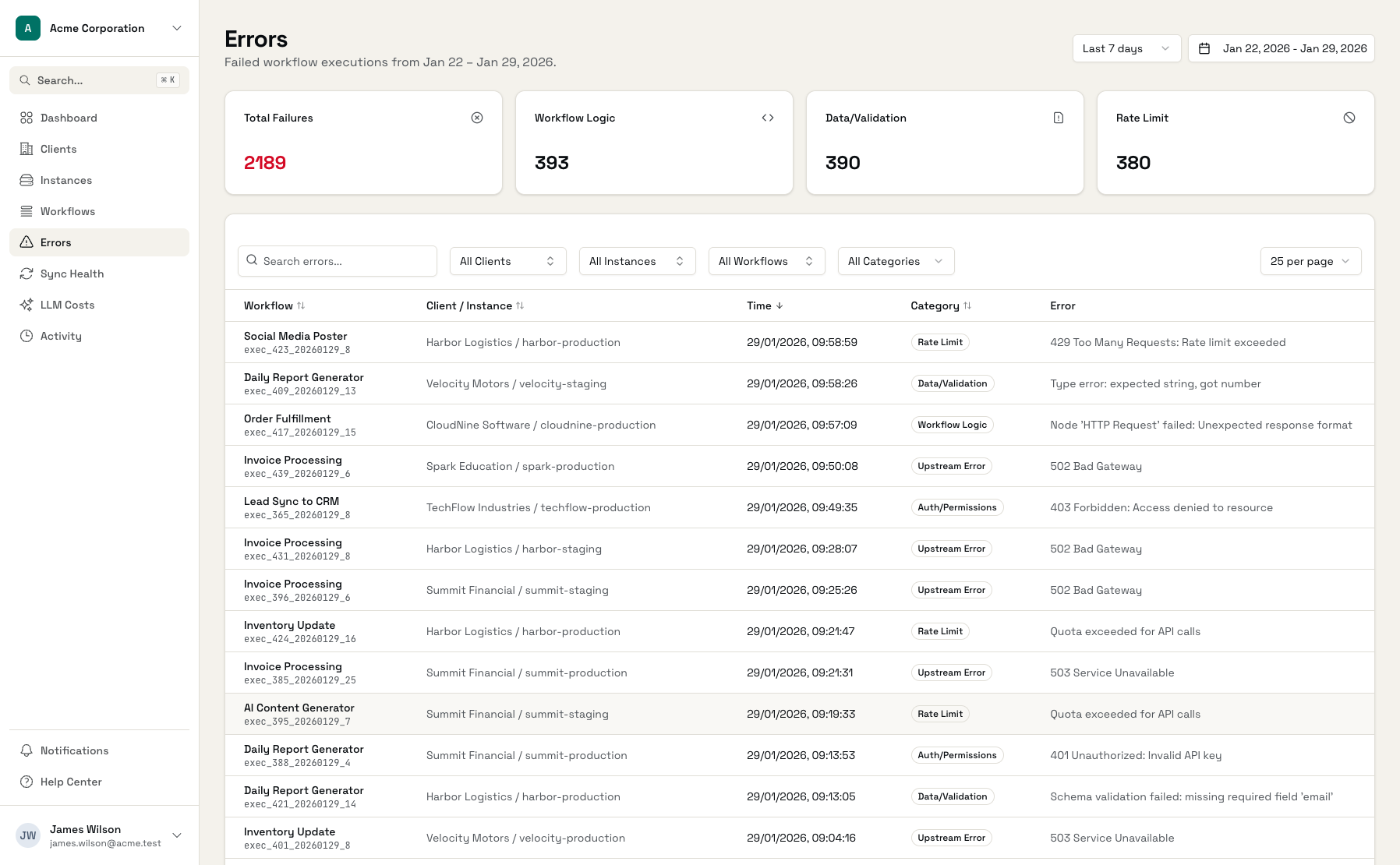
Error Tracking
Categorized errors with filtering and search
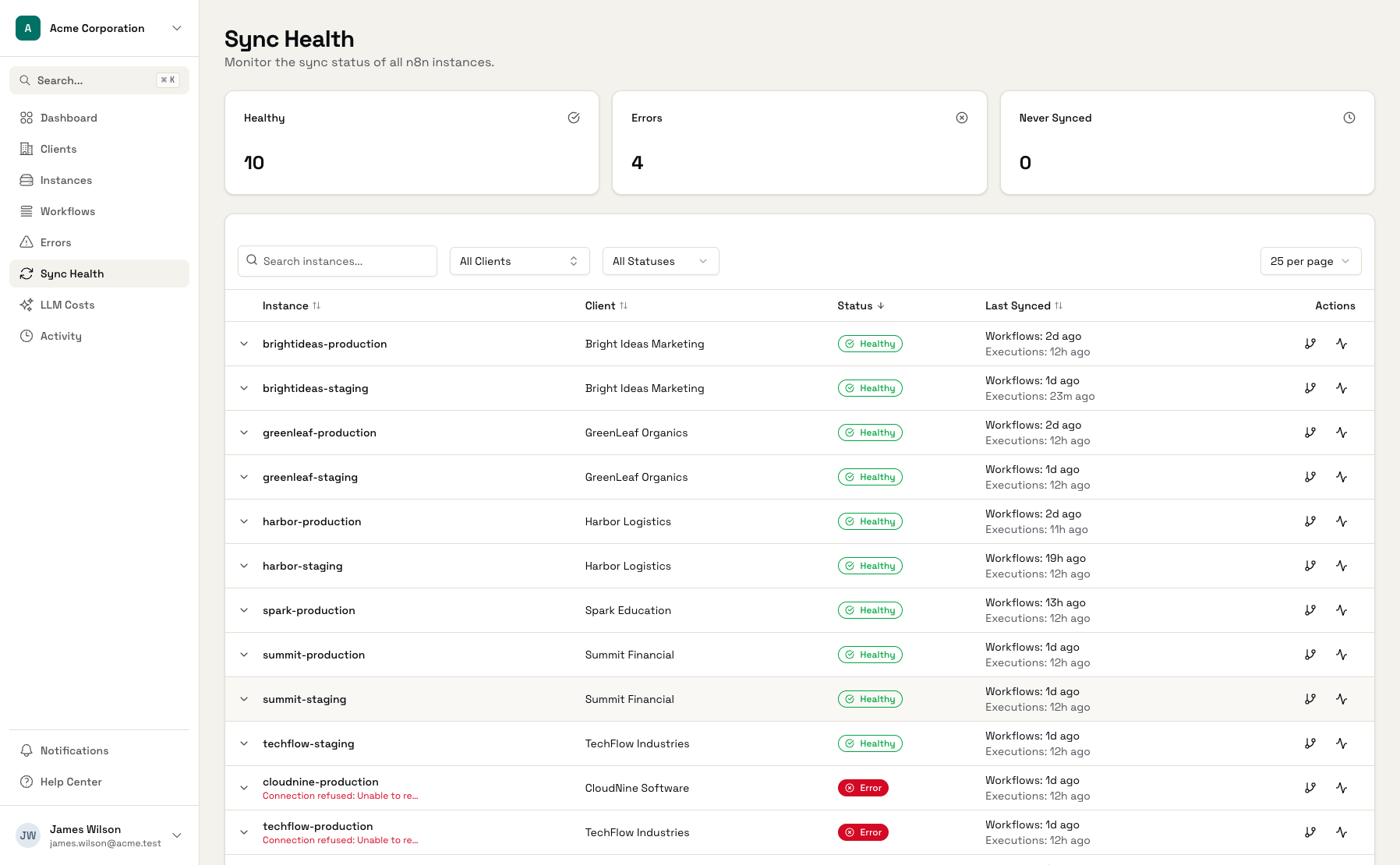
Sync Health
Real-time status for all connected automation instances
Workflow Metrics
Detailed performance data for each workflow
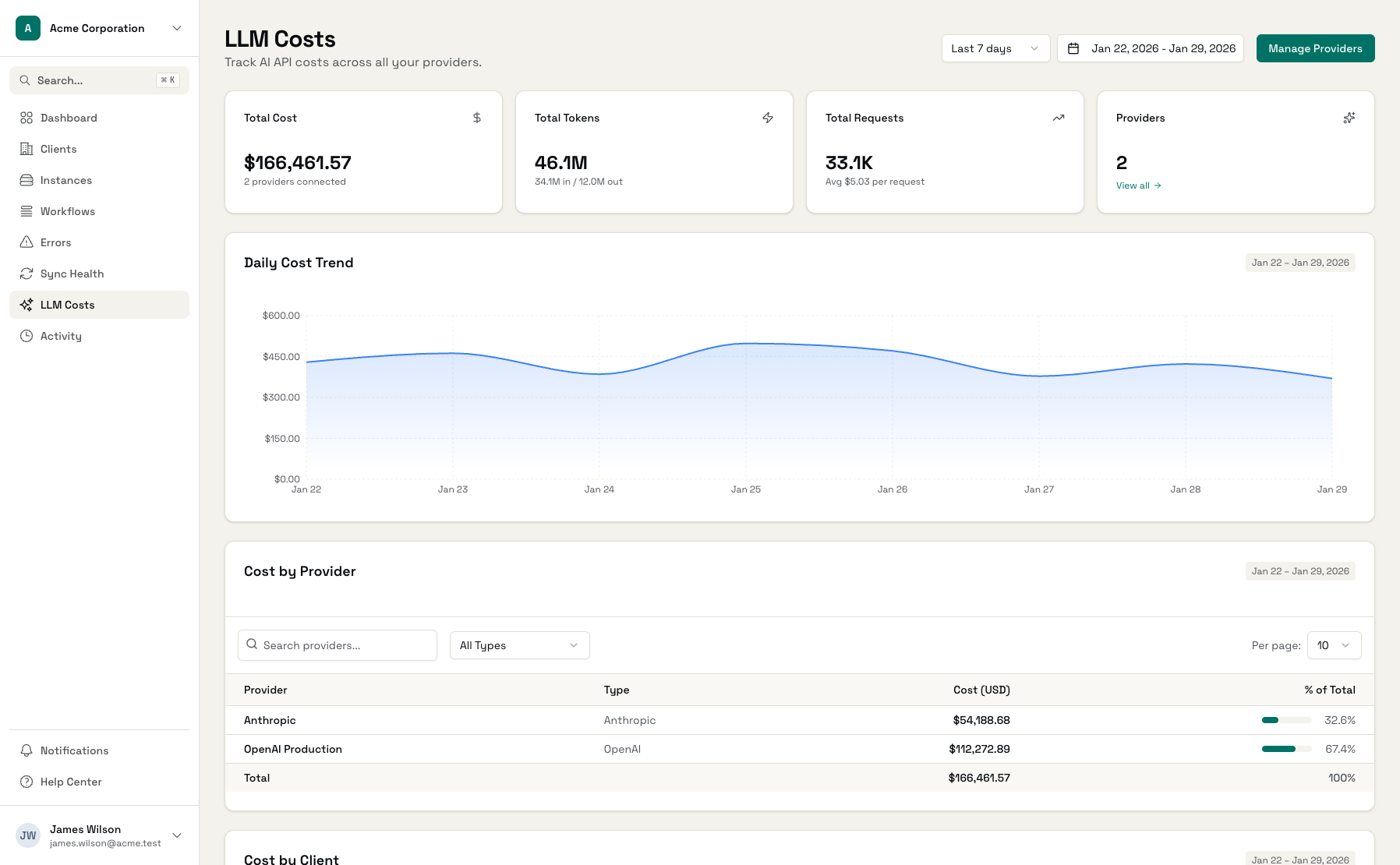
LLM Costs
AI cost tracking integrated with workflow monitoring
Get Started in Minutes
Connect Instances
Add your n8n or automation platform API keys
Organize by Client
Group instances under clients or projects
Configure Alerts
Set up notifications for what matters
Monitor Everything
See all automations in one unified view
Frequently Asked Questions
What automation platforms does this work with?
How is this different from n8n's built-in monitoring?
Can I use this for internal automation teams?
What kind of alerts can I set up?
How much historical data do you keep?
Is my automation data secure?
See Your Automation Dashboard
Start with 3 free instances. No credit card required.