Prove Automation ROI to Every Client
Stop guessing how much value your automations deliver. Track time saved per workflow, aggregate by client, and show hard numbers at every renewal conversation.
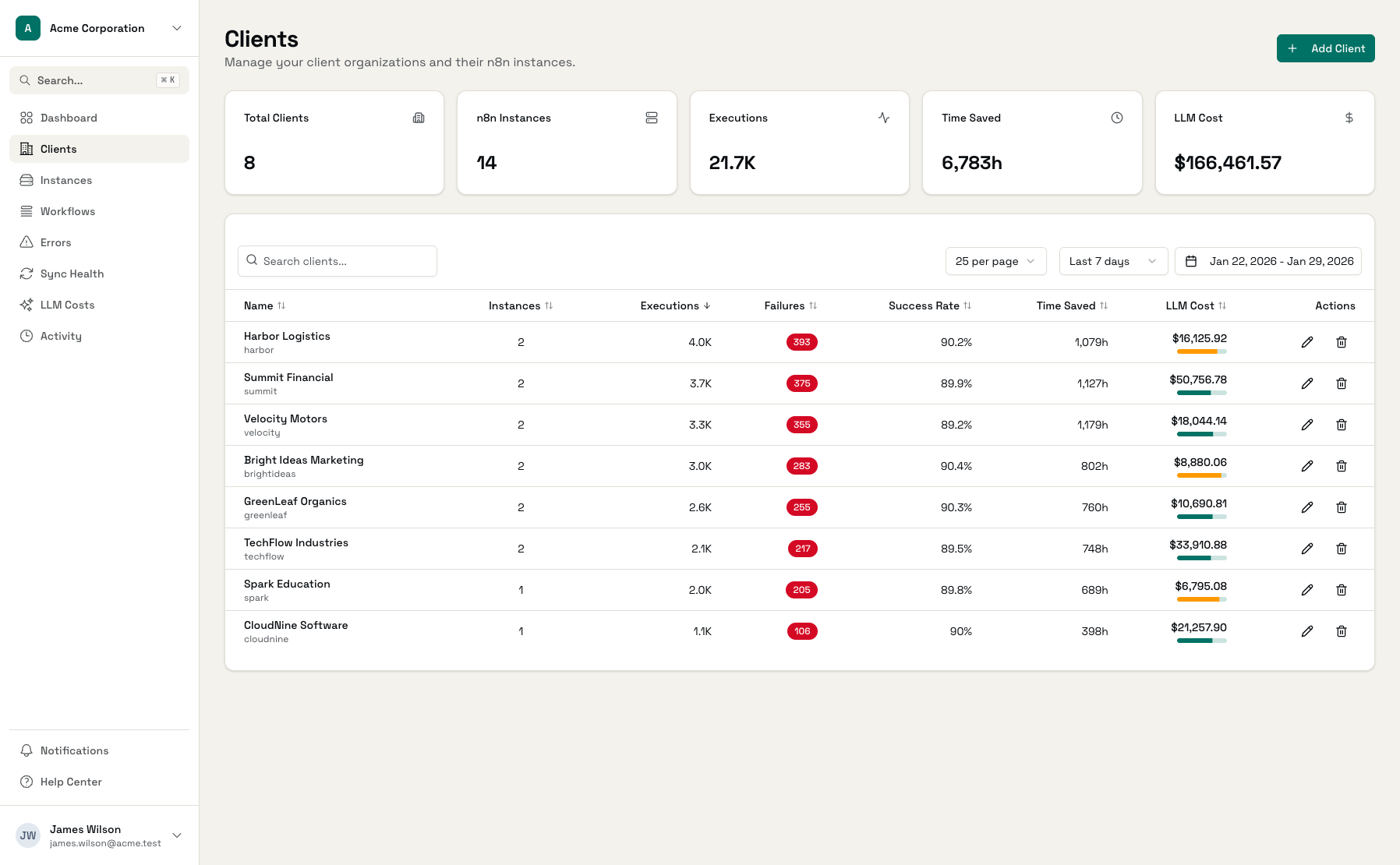
Example metrics based on typical agency with 15 clients
The Challenge of Proving Automation Value
You know automations save time. But without data, proving it to clients is guesswork.
"What Am I Getting for My Money?"
Clients ask this question every contract renewal. Without data, you're left making vague claims about 'efficiency gains' instead of showing hard numbers.
Manual Value Tracking
You know the automations are saving time, but quantifying it means tracking manually. Hours spent on spreadsheets instead of building more automations.
No Trend Visibility
Is the automation delivering more value this month than last? Without tracking, you can't show clients that their investment is paying off over time.
Built-in Time Saved Tracking
Configure once, track forever. Automatic ROI calculations for every workflow execution.
Per-Workflow Time Estimates
Configure how many minutes each workflow saves per successful execution. Based on what the task would take manually - data entry, API calls, report generation.
Automatic Calculation
As workflows run, time saved accumulates automatically. No manual tracking required. See daily, weekly, monthly, and all-time totals.
Per-Client Aggregation
Roll up time saved across all workflows for each client. Show them the total hours your automations have reclaimed.
Trend Analysis
Track how value compounds over time. This month vs last month. This quarter vs last quarter. Show clients the cumulative impact.
Dollar Value Conversion
Multiply time saved by hourly rates to show dollar value. "Your automations saved 47 hours this month - that's $3,290 in labor costs."
Client-Ready Reports
Export data for client presentations and invoices. Show exactly what they're getting for their automation investment.
Real-World ROI Examples
See how common workflows add up to significant time savings.
Lead Enrichment
Enrich new leads with company data from multiple sources
Invoice Processing
Extract data from invoices and update accounting system
Daily Report Generation
Compile metrics from 6 sources into morning report
Customer Onboarding
Create accounts, send welcome emails, provision access
These four workflows alone save 44.75 hours per week - that's over $150,000/year at $65/hour.
Start Tracking ROI in Minutes
Connect Workflows
Add your n8n instances to Administrate
Set Time Estimates
Configure minutes saved per workflow
Watch ROI Accumulate
Time saved calculated automatically
Report to Clients
Export data for renewals and reviews
Turn Renewal Conversations Around
Before and after having ROI data at your fingertips.
Frequently Asked Questions
How do I determine time saved per workflow?
What if a workflow fails - does it still count as time saved?
Can I use different time estimates for the same workflow?
How do I present ROI data to clients?
What's a good ROI target for automation?
Can I track ROI across my entire client base?
Start Proving Automation ROI Today
Connect your workflows and configure time estimates in minutes.