More Than OpenAI's Usage Dashboard
OpenAI's dashboard shows total spend. We show you which clients are spending it. Attribute costs automatically, set budget alerts, and export for billing.
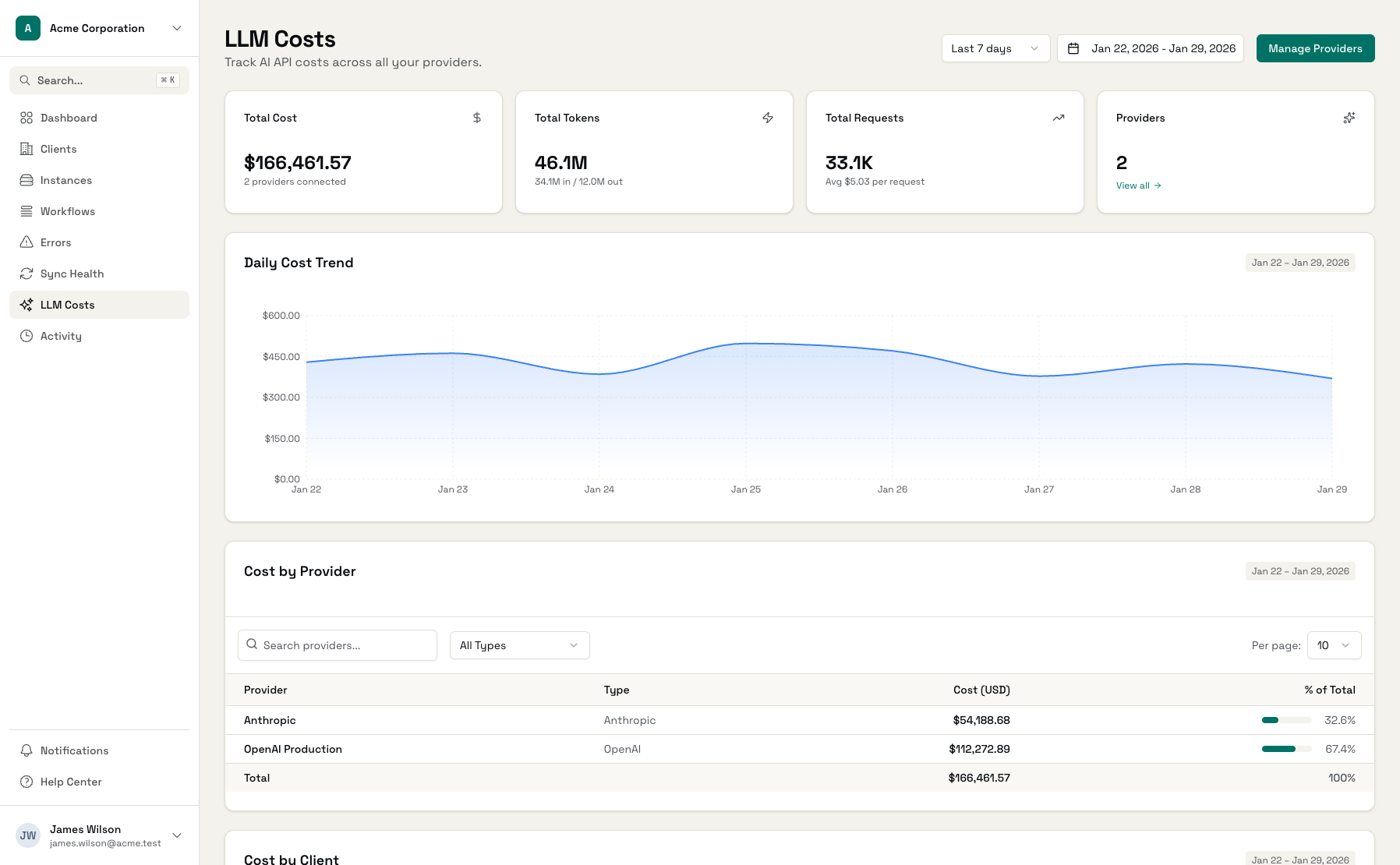
Track OpenAI alongside other LLM providers
What OpenAI's Dashboard Doesn't Show You
The native dashboard is great for totals, but agencies need more.
OpenAI Dashboard Limitations
OpenAI's usage dashboard shows your total spend, but not which project, client, or use case is driving costs. When bills spike, you're left guessing.
No Multi-Client Attribution
If you're building AI for multiple clients, OpenAI doesn't tell you who's using what. Manual tracking means spreadsheets and guesswork.
Model Cost Opacity
GPT-4o costs 15x more than GPT-3.5. Without model-level breakdowns tied to projects, you can't optimize where it matters.
OpenAI Cost Tracking Built for Agencies
Everything the native dashboard is missing.
Client-Level Attribution
Map OpenAI projects to clients automatically. Every token, every dollar, attributed to the right client for accurate billing.
Model-Level Breakdown
See exactly what you're spending on GPT-4o vs GPT-4 Turbo vs GPT-3.5. Identify optimization opportunities per project.
Daily Cost Trends
Track spending patterns over time. Catch anomalies early - a spike yesterday might be a runaway prompt loop.
Budget Alerts
Set cost thresholds per client or globally. Get notified before costs exceed limits so you can take action.
Usage Analytics
Beyond just costs - see token counts, request volumes, and model distribution to understand usage patterns.
Billing-Ready Exports
Export cost data by client and date range. Perfect for passing through AI costs to clients accurately.
Administrate vs OpenAI's Native Dashboard
Side-by-side comparison of cost tracking capabilities.
| Feature | OpenAI Dashboard | Administrate |
|---|---|---|
| Total usage view | ||
| Cost by client | - | |
| Model breakdown | ||
| Daily trends | ||
| Budget alerts | Email only | Email + in-app |
| Multi-provider view | - | |
| Client-ready exports | - | |
| Project to client mapping | - | Automatic |
See Your OpenAI Spending Clearly
LLM Cost Dashboard
All LLM costs across providers in one unified view
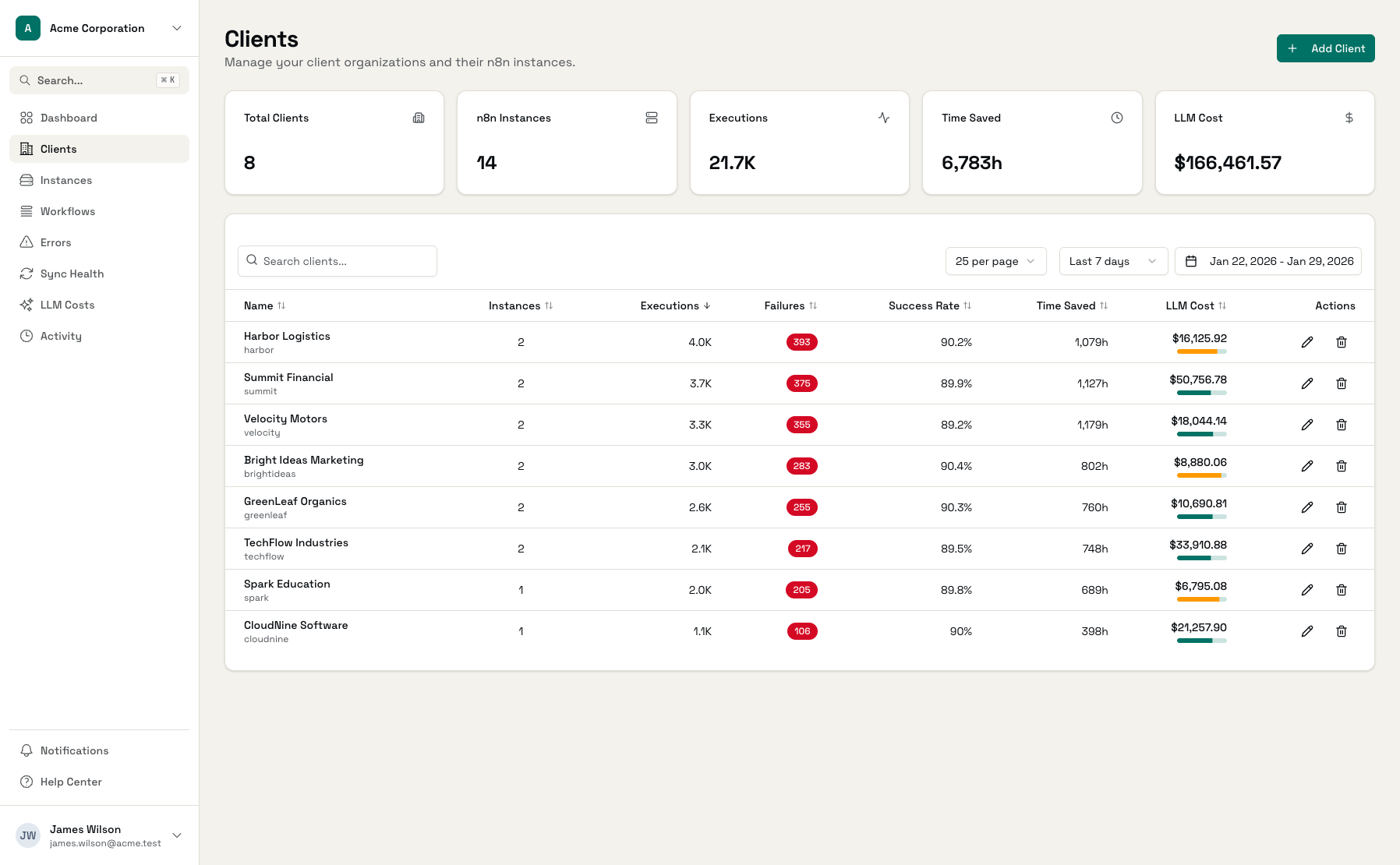
Cost by Client
See which clients are driving your OpenAI spend
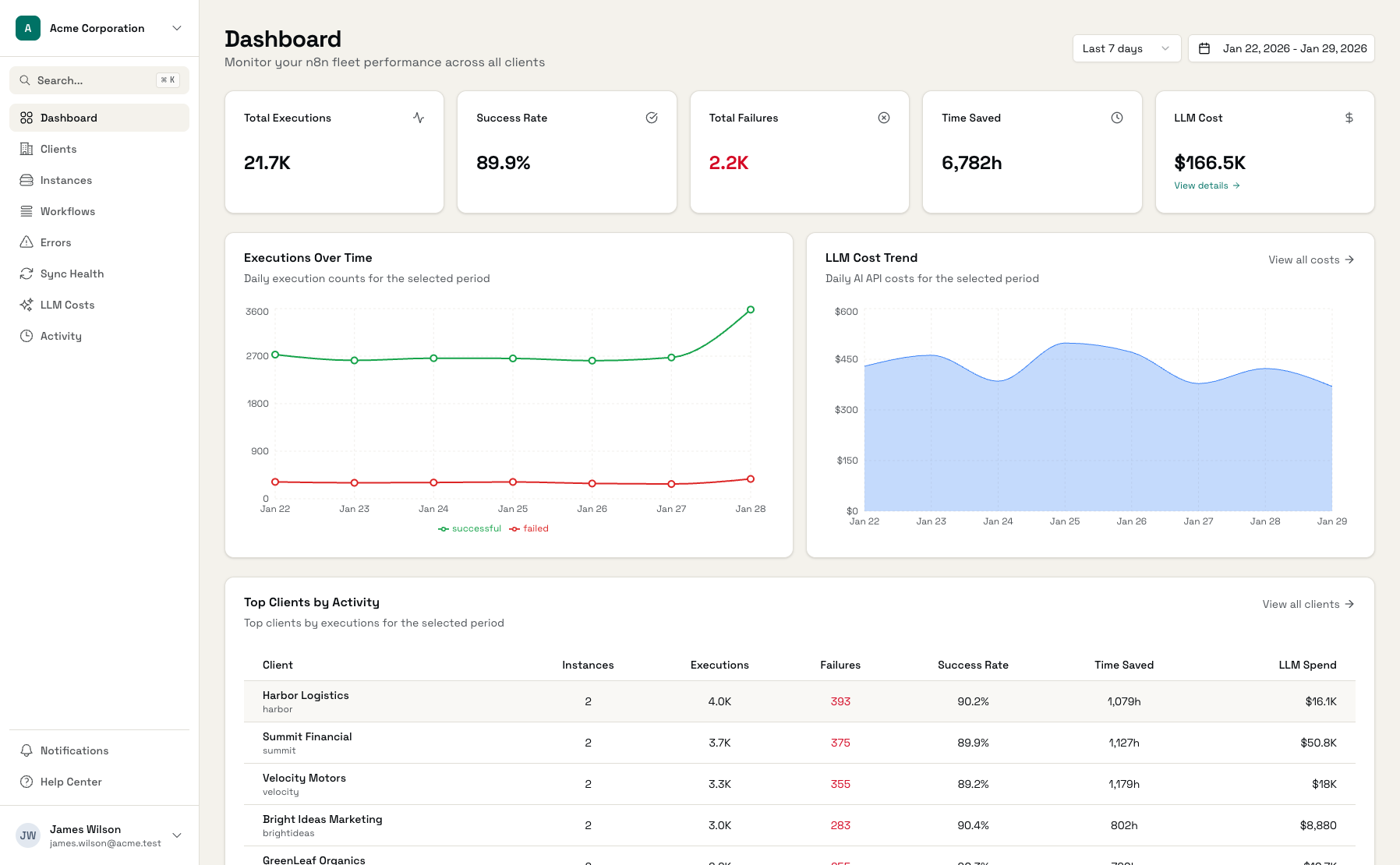
Model Breakdown
Understand costs by model to optimize selection
Start Tracking OpenAI Costs
Connect OpenAI
Add your OpenAI API key with billing access
Map Projects
Assign OpenAI projects to clients
Track Costs
See attributed costs automatically
Frequently Asked Questions
How do I connect my OpenAI account?
Does this work with OpenAI's organization/project structure?
What about GPT-4o and the newer models?
How accurate is the cost data?
Can I track other LLM providers too?
What if I use one OpenAI organization for multiple clients?
Get Control Over Your OpenAI Costs
Connect your OpenAI account and see costs by client in minutes.