Show Clients the Hours You're Saving Them
Configure time saved estimates per workflow. See total hours saved per client without manual calculation. Prove ROI with real numbers.
Why Automation Value is Hard to Show
The hours saved are real, but they're invisible without tracking.
Can't Prove ROI
Your client asks 'what am I getting for my monthly retainer?' You know their automations save hours, but you can't show them the numbers without manual calculation.
Time Savings are Invisible
A workflow that processes 100 invoices a week saves 5 minutes each. That's 8+ hours saved weekly, but it's not visible anywhere. The value is real but hidden.
Manual Reporting
Every month you're pulling execution counts, estimating time per task, and building spreadsheets. It's hours of work just to show clients what they're getting.
Time Saved Tracking That Just Works
Simple configuration, automatic calculation, clear results.
Per-Workflow Estimates
Configure 'minutes saved per successful execution' for each workflow. A complex report might save 30 minutes, a simple notification 2 minutes.
Automatic Calculation
Administrate multiplies your estimates by execution counts automatically. No spreadsheets, no manual math.
Per-Client Totals
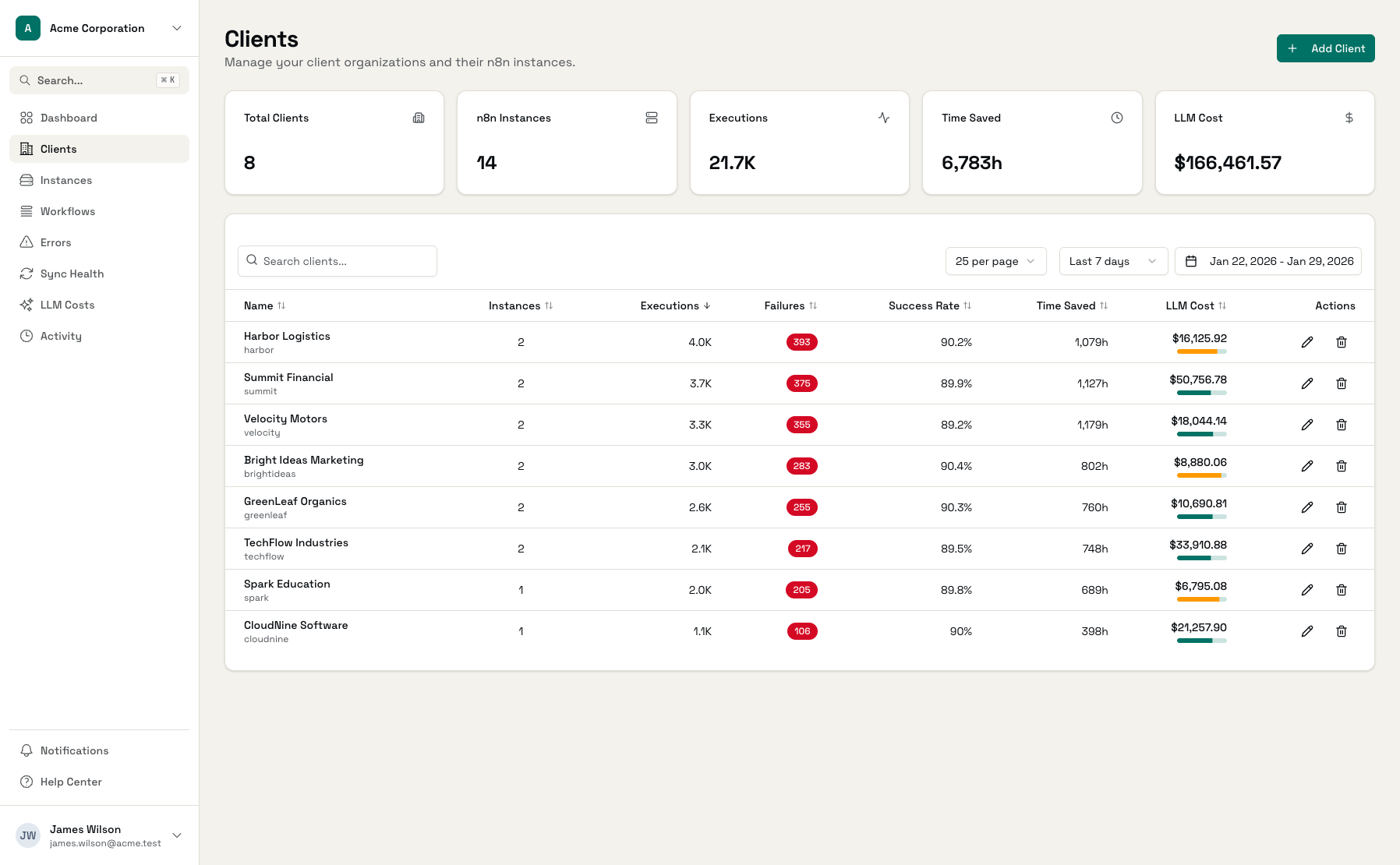
See total hours saved per client across all their workflows. Answer 'how much time did we save you this month?' with real numbers.
Fleet-Wide Metrics
Dashboard shows total time saved across all clients. Know the aggregate value your automations deliver.
Trends Over Time
Track time saved by date range. Compare this month to last, or see quarterly trends for client reviews.
Export for Reporting
Pull time saved data via API for custom client reports. Include it in proposals to show the value of your work.
ROI Visibility at Every Level
From individual workflows to fleet-wide totals.
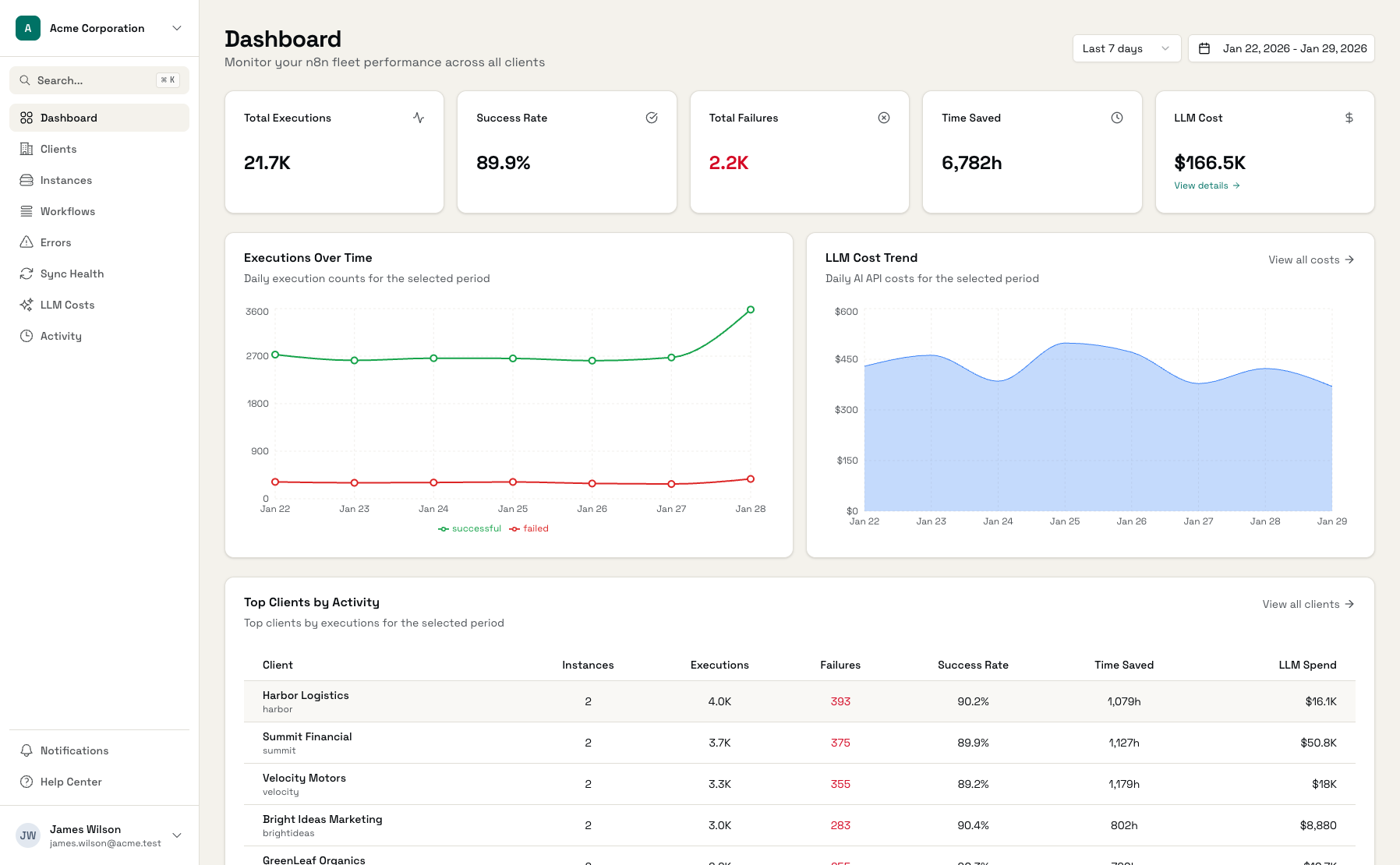
Time Saved Dashboard
Total hours saved across your entire client base
Client Time Saved
Per-client breakdown of automation value
Workflow Configuration
Set minutes saved per execution for each workflow
Start Tracking ROI in Minutes
Connect n8n Instances
Workflows sync automatically
Configure Time Estimates
Set minutes saved per workflow
Watch Time Saved Grow
Totals update with each execution
Frequently Asked Questions
How do I estimate time saved per workflow?
What if different executions take different amounts of time?
Can I set different estimates for successes vs failures?
How is time saved calculated?
Can I use this for client billing?
What's a good way to present this to clients?
Make Automation Value Visible
Configure time saved estimates and show clients what they're getting.