Client Reports That Show Automation Value
Stop spending hours building monthly reports. Track time saved automatically, calculate ROI, and export client-ready data that proves what your automations deliver.
Based on agencies using Administrate for client reporting
The Problem with Manual Reporting
Client reports shouldn't be the hardest part of running an automation agency.
Hours Spent on Reports
Every month, you're pulling data from multiple sources, building spreadsheets, and compiling reports for clients. Time that should go toward building more automations.
Defensive Reporting
Without concrete metrics, client reviews become awkward. 'How's everything going?' 'Fine.' That's not a conversation that builds trust or justifies your fees.
No Value Story
Clients want to know what they're getting. Execution counts don't mean much. What they care about is time saved, errors prevented, and ROI delivered.
Reporting That Runs Itself
Set up once, get client-ready metrics forever.
Automatic Time Saved
Configure estimates per workflow. Time saved calculates automatically as workflows run. No manual tracking or spreadsheets required.
Per-Client Reports
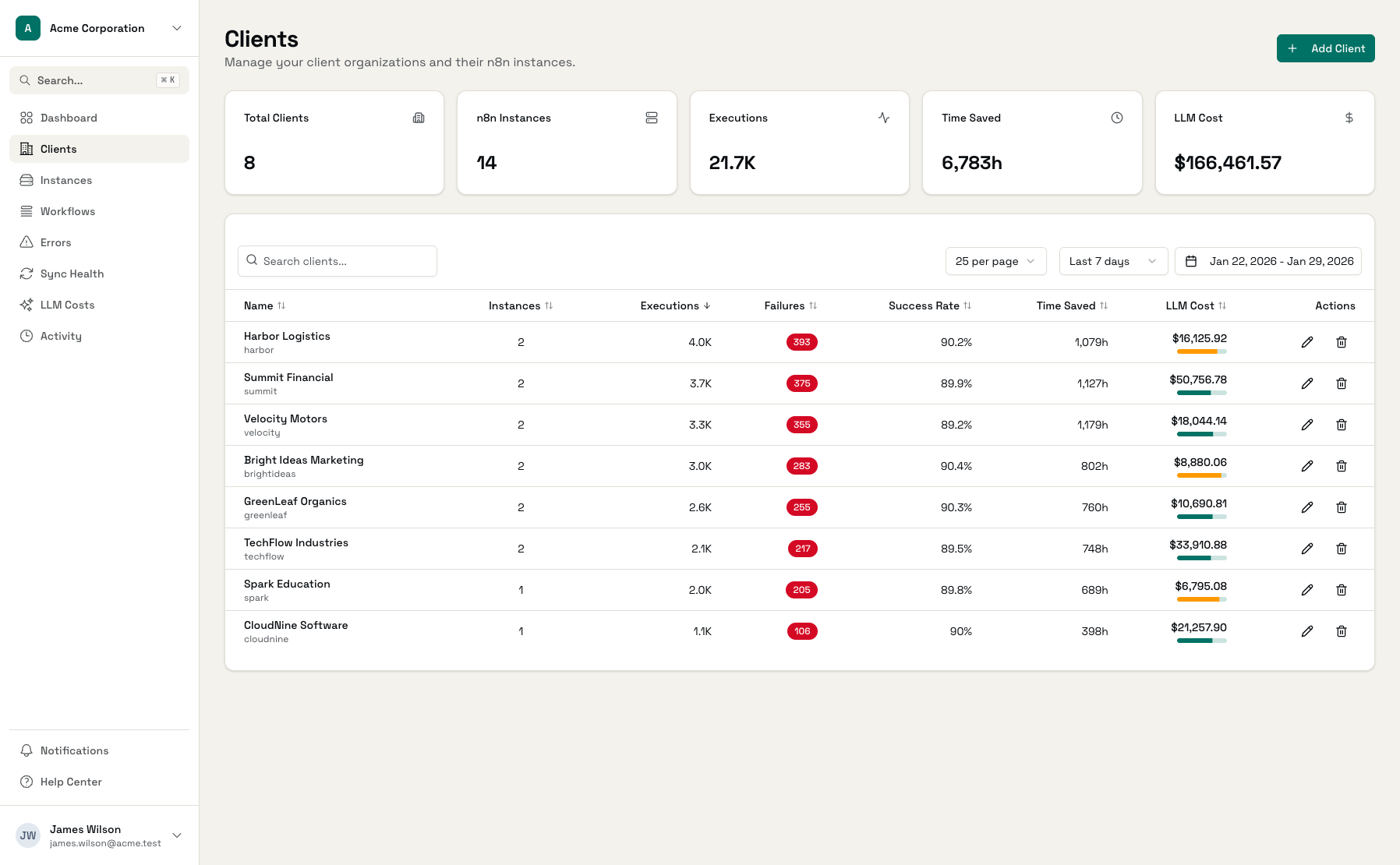
Each client has their own dashboard with their metrics. Export data by client and date range for presentations and invoices.
Execution Analytics
Total executions, success rates, error rates - all tracked automatically. Show clients exactly how their automations are performing.
ROI Calculations
Multiply time saved by hourly rates to show dollar value. 'Your automations saved 52 hours this month - that's $3,380 at $65/hour.'
Trend Visualization
Show how value compounds over time. This month vs last month. Quarterly trends. Clients love seeing their investment pay off.
API Access
Pull data programmatically for custom reports. Build dashboards in your preferred tools or integrate with your billing system.
Client-Ready Dashboards
Professional reporting without the manual work.
Client Dashboard
Per-client view with all key metrics in one place
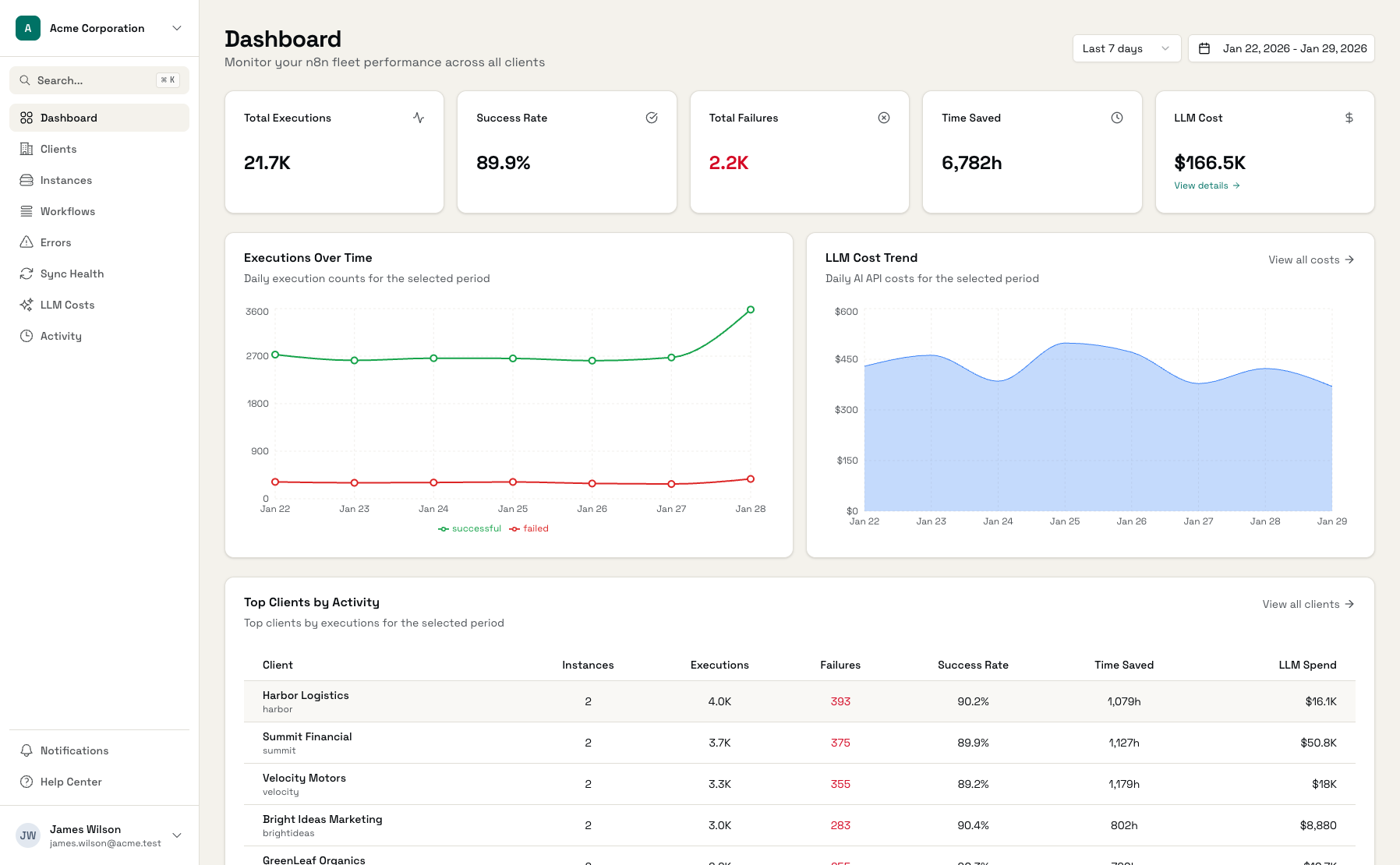
Execution Metrics
Detailed workflow performance for client reporting
Time Saved Tracking
Automatic ROI calculations per workflow
What to Include in Client Reports
Use these sections to structure compelling client updates.
Monthly Summary
Total executions, success rate, time saved, dollar value
Workflow Breakdown
Per-workflow metrics showing which automations deliver most value
Trend Analysis
Month-over-month comparison showing growth and improvements
Error Summary
What went wrong, how often, and what was done about it
Set Up Client Reporting
Connect Workflows
Link your automation instances to Administrate
Set Time Estimates
Configure minutes saved per workflow type
Let It Run
Metrics accumulate automatically over time
Generate Reports
Export client-ready data when needed
Frequently Asked Questions
How do I set time saved estimates?
Can I export data for custom reports?
How do I calculate dollar value from time saved?
What if different clients need different report formats?
Can clients see their own reports?
How accurate are the time saved estimates?
Make Client Reporting Effortless
Start tracking value automatically. No more monthly spreadsheet sessions.