Track Every AI Dollar Across Clients
Connect your OpenAI, Anthropic, Azure, and OpenRouter accounts. See costs attributed to each client automatically. No more surprise bills or spreadsheet wrangling.
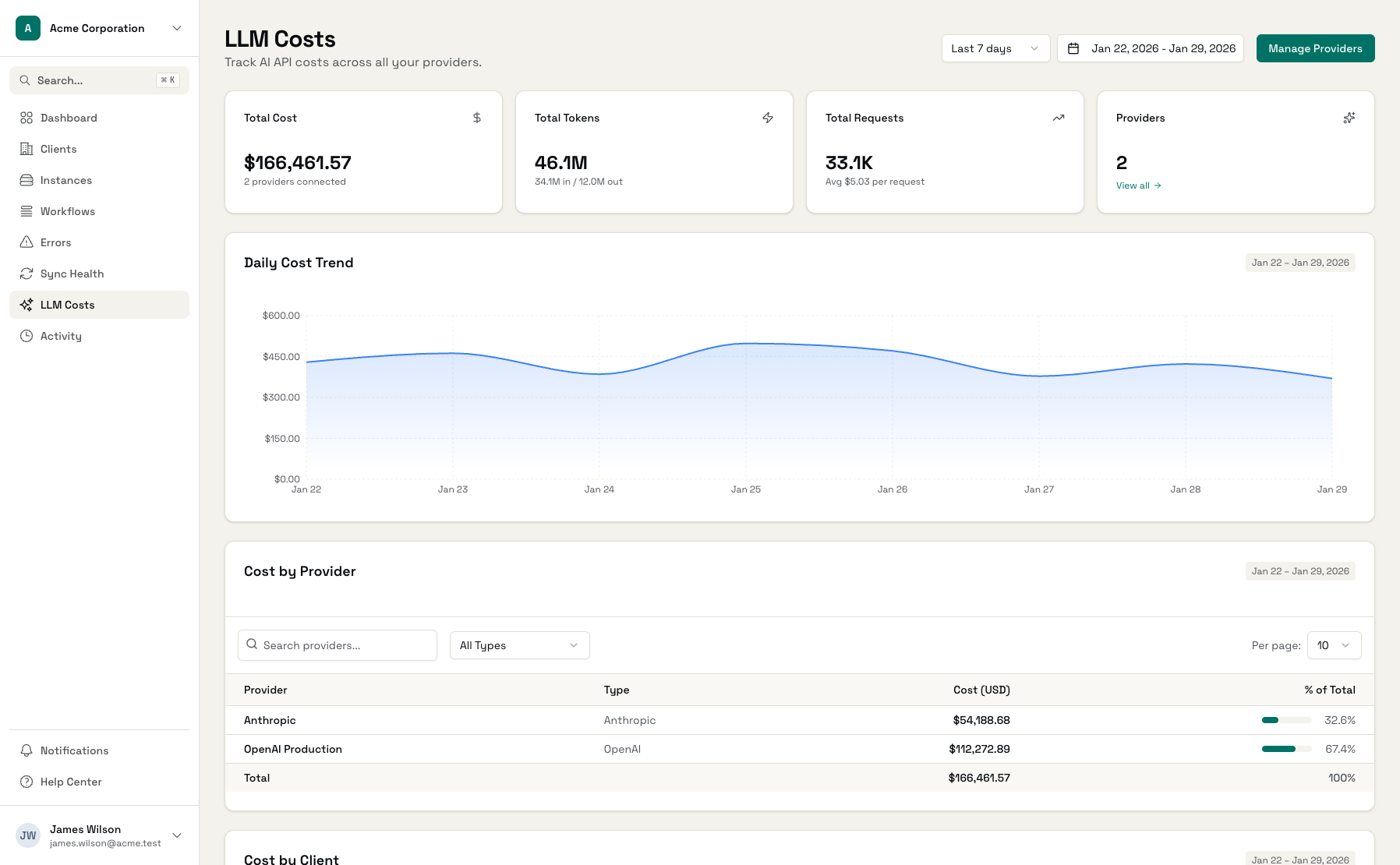
Track costs across all major LLM providers
The Problem with Provider Dashboards
Native billing dashboards weren't built for agencies managing multiple clients.
Surprise AI Bills
Your OpenAI bill jumped 40% last month. Is it a new client? A runaway workflow? A model upgrade? You spend hours digging through dashboards trying to find the culprit.
No Client Attribution
Provider dashboards show total usage but not which client is responsible. When a client asks why their AI costs increased, you're left guessing or manually auditing API calls.
Fragmented Visibility
OpenAI, Anthropic, Azure, OpenRouter - each has its own dashboard. To understand your total AI spend, you're copying numbers into spreadsheets every month.
LLM Cost Tracking Built for Agencies
Everything you need to track, attribute, and control AI spending across your client base.
Cost Attribution by Client
Every API call, every token, every dollar - automatically attributed to the right client. Know exactly who's using what and how much it costs.
Model-Level Breakdown
See costs broken down by model: GPT-4o vs GPT-4 Turbo, Claude 3 Opus vs Sonnet. Understand where your budget goes and optimize model selection.
Daily Cost Trends
Track spending patterns over time. Spot anomalies early - a sudden spike on Tuesday? Investigate before it becomes a budget problem.
Budget Alerts
Set thresholds per client or globally. Get notified when costs approach limits so you can take action before it's too late.
Unified Dashboard
One view across OpenAI, Anthropic, Azure, and OpenRouter. No more switching between provider dashboards to understand total spend.
Accurate Billing Data
Use real cost data for client billing. No more estimates or guesswork - charge what it actually costs with confidence.
See Your AI Spending at a Glance
Visual dashboards that show exactly where your AI budget goes.
LLM Cost Dashboard
See all LLM costs across providers in one unified view
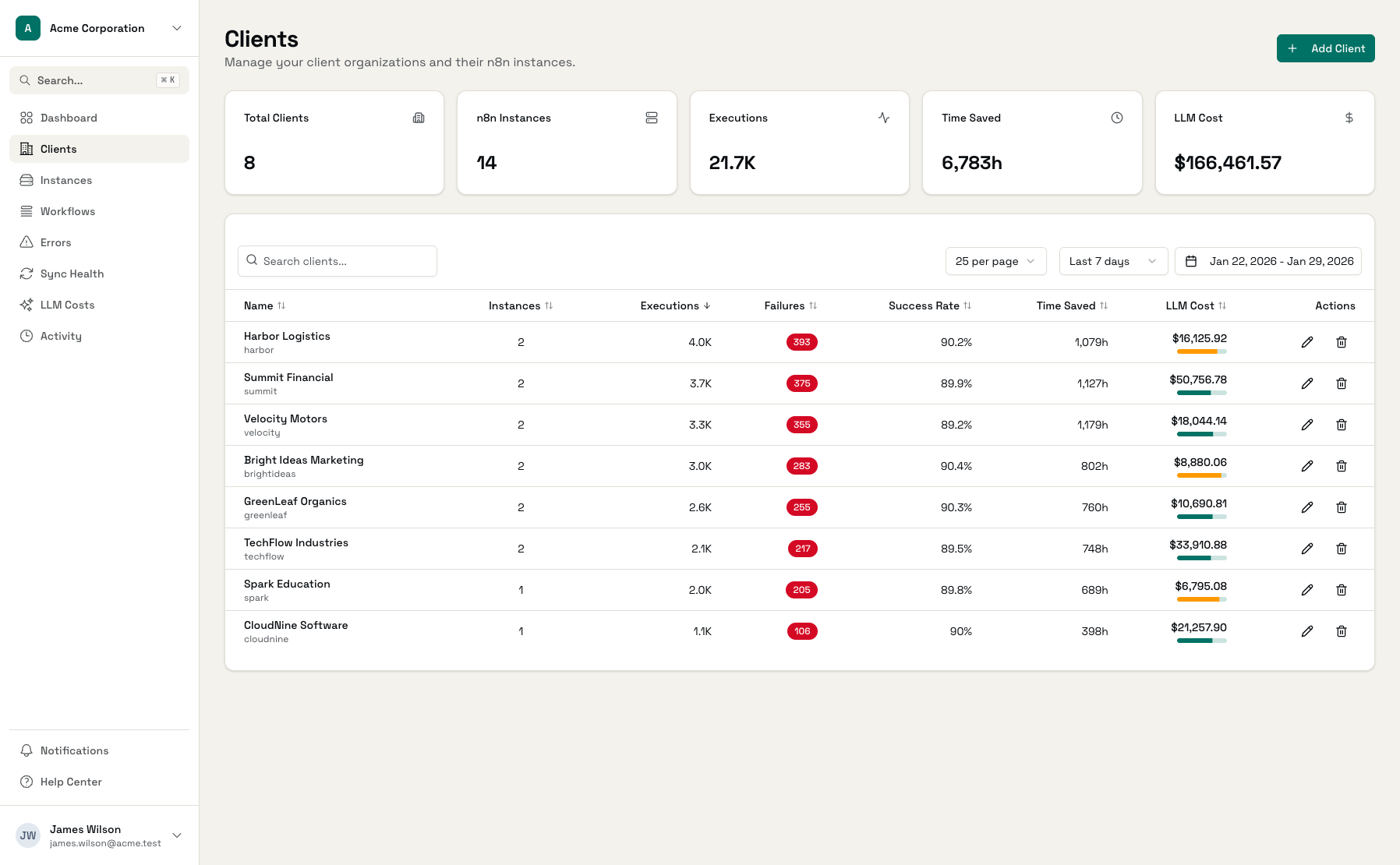
Cost by Client
Drill down to see which clients are driving costs
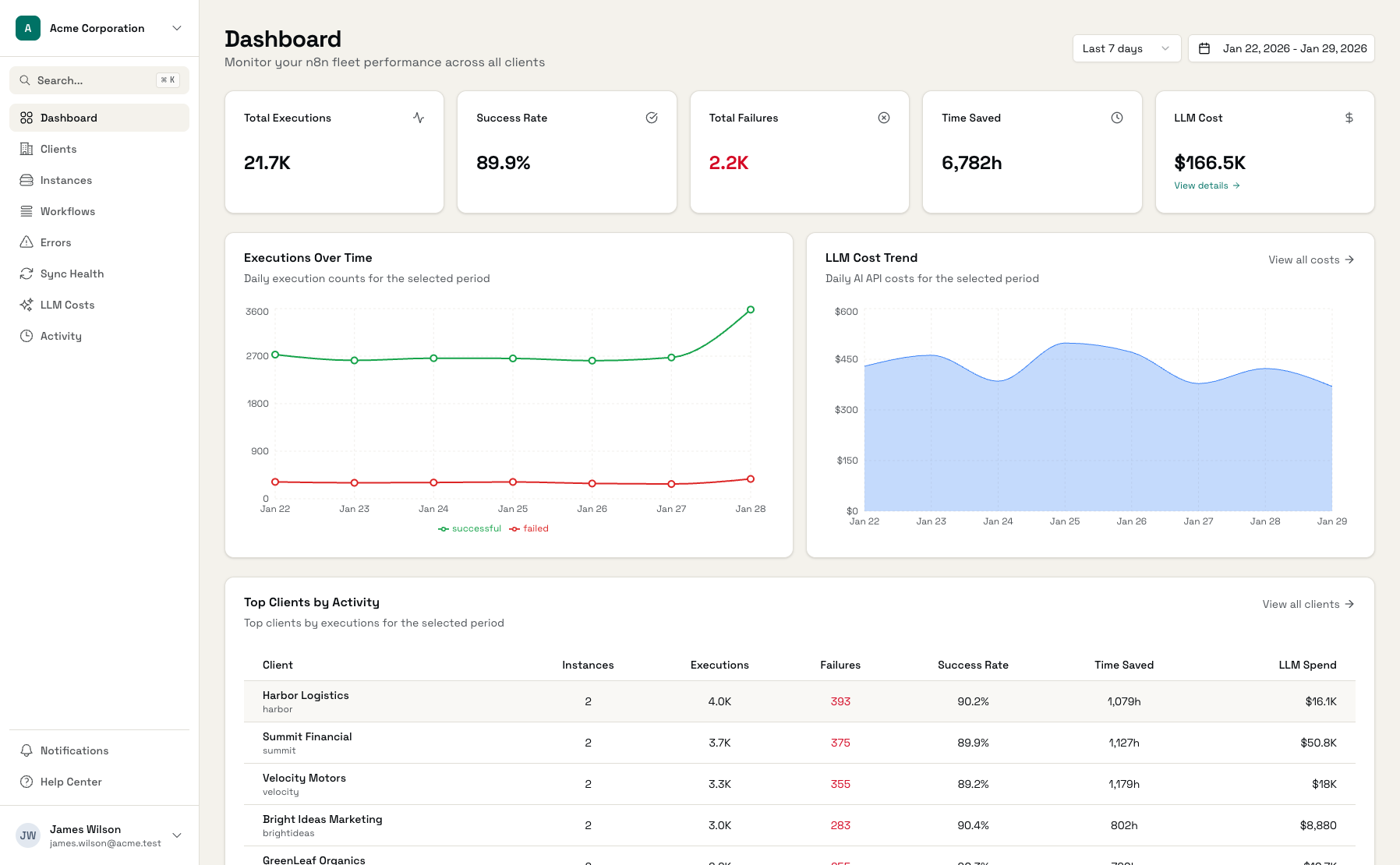
Model Breakdown
Understand costs by model to optimize selection
More Than Native Dashboards
Provider dashboards show you usage. Administrate shows you who's using it.
| Feature | Native Dashboards | Administrate |
|---|---|---|
| Cost by client | - | |
| Multi-provider view | - | |
| Model breakdown | ||
| Daily trends | ||
| Budget alerts | Limited | |
| Export for billing | - | |
| Project attribution | Manual setup | Automatic |
Start Tracking Costs in Minutes
Connect Provider
Add your API key with billing read access
Map Projects to Clients
Assign each project to the right client
See Attributed Costs
Costs flow automatically by client
Frequently Asked Questions
How does LLM cost tracking work?
Is my API key secure?
How do you attribute costs to clients?
What if I use one API key for multiple clients?
How often is cost data updated?
Can I use this for client billing?
Stop Guessing Where Your AI Budget Goes
Connect your first LLM provider and see costs by client within minutes.