Catch Workflow Failures Before Clients Do
Every n8n error logged, categorized, and ready to fix. Filter by client, category, or date range. Jump straight to n8n with one click.
Why You're Always Reacting to Errors
Without centralized error monitoring, you're flying blind.
Clients Find Bugs First
Your client's workflow broke three days ago. They found out when leads stopped flowing into their CRM. You found out from an angry email. That's backwards.
Errors Buried in Logs
n8n logs errors, but scrolling through execution history for 20 clients across multiple instances? That's hours of manual checking every week.
No Error Context
When you do find an error, the message is cryptic. Was it a rate limit? Bad credentials? Network timeout? You spend more time diagnosing than fixing.
Error Monitoring Built for Agencies
Everything you need to find, diagnose, and fix workflow failures across your client base.
Automatic Error Categorization
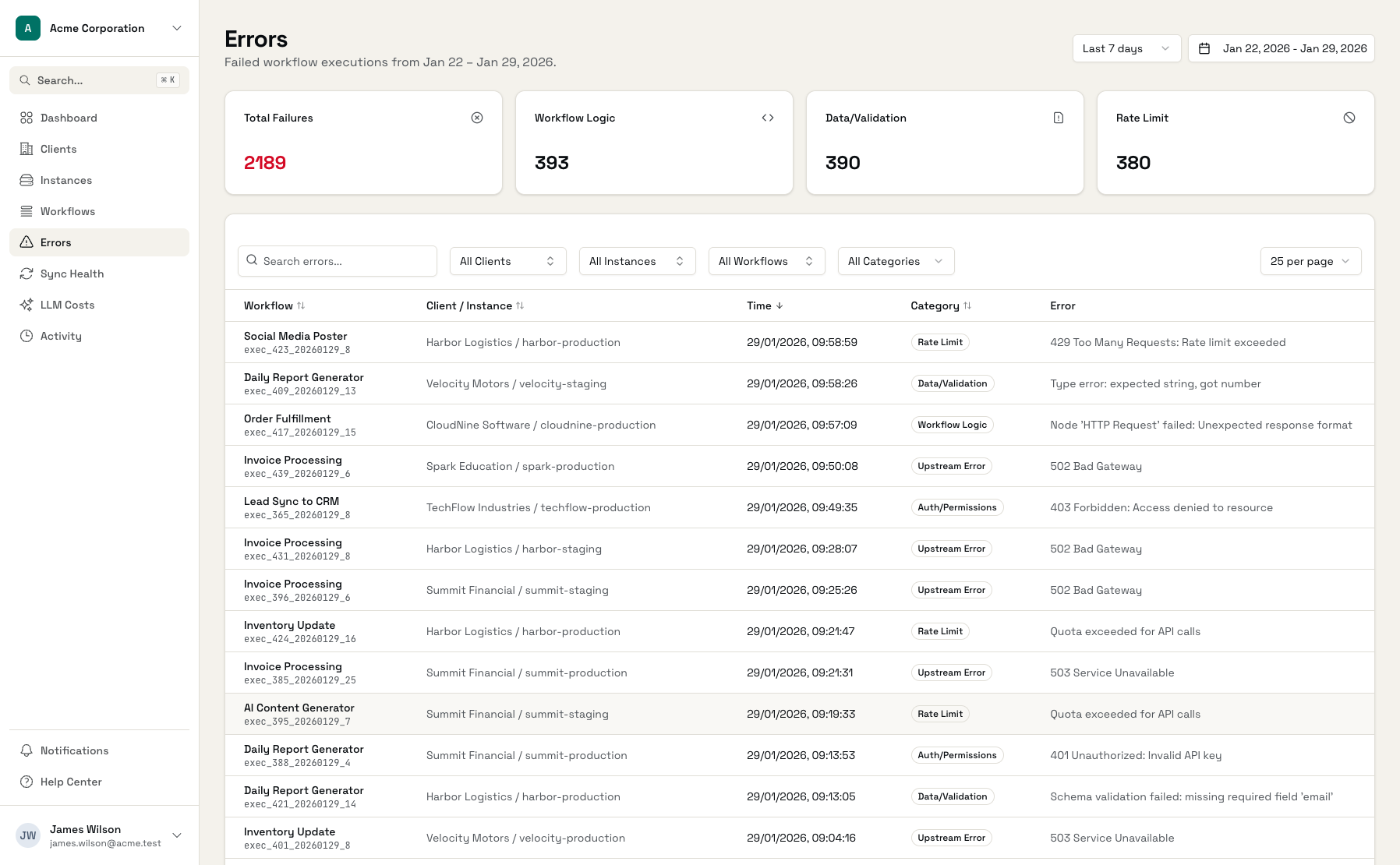
Every error gets categorized automatically: auth issues, rate limits, network timeouts, upstream failures, data validation, workflow logic errors. Filter by category to focus on what matters.
Error Details at a Glance
See the error message, the workflow that failed, when it happened, and the sanitized error payload. No digging through logs.
Top Failing Workflows
Dashboard shows your most problematic workflows ranked by failure count. Fix the biggest issues first.
Direct Links to n8n
Jump from any error directly to the workflow in n8n. One click to investigate, one click to fix.
Sensitive Data Stripped
Error payloads are automatically sanitized. API keys, passwords, auth tokens, and cookies are removed before storage.
Filter Across Everything
Filter errors by client, n8n instance, workflow, error category, or date range. Find exactly what you're looking for.
See Errors Across Your Entire Fleet
One dashboard for all failures, all clients, all instances.
Error Dashboard
See all failures across your client base in one view
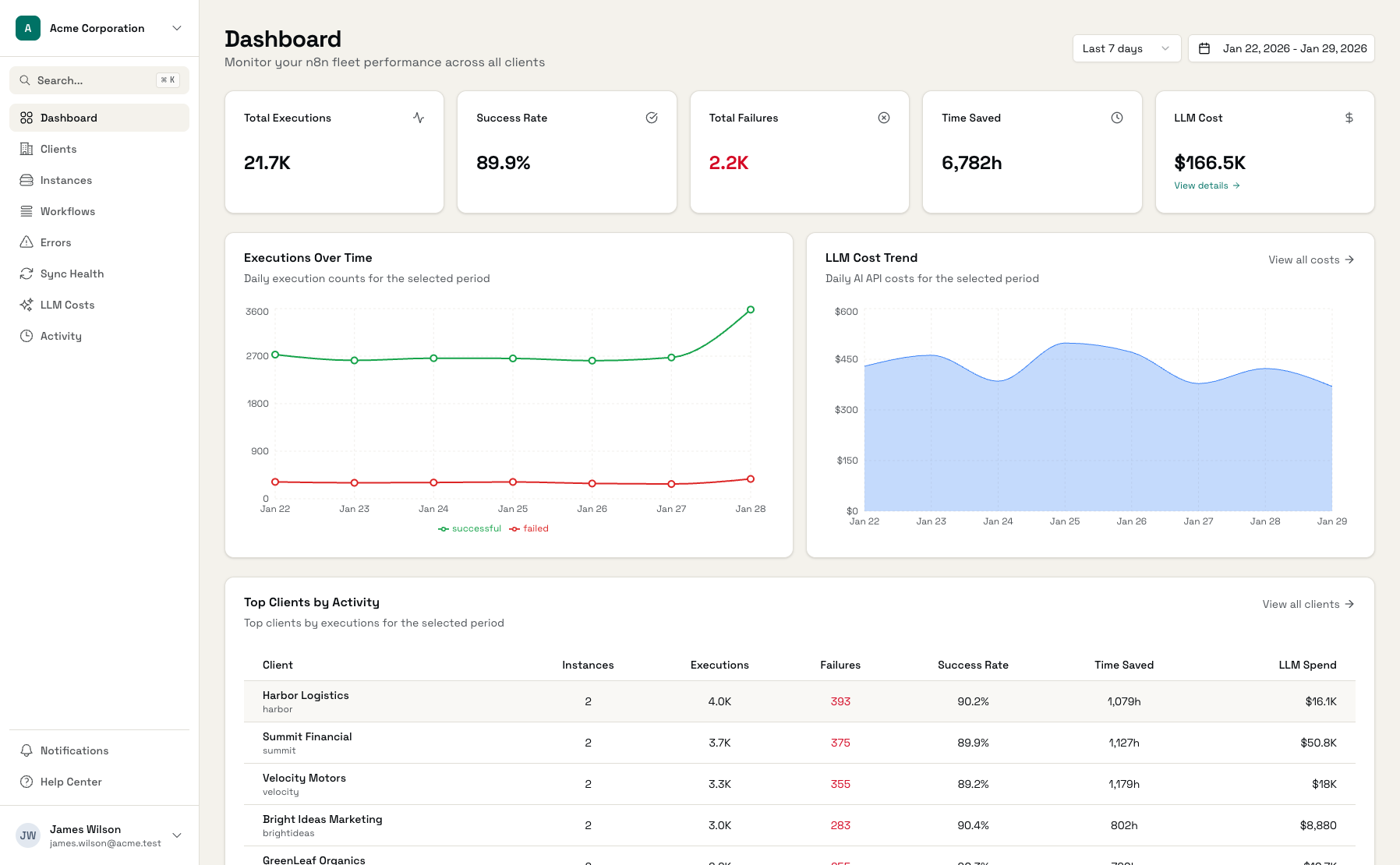
Error Categories
Errors grouped by type: auth, rate limits, network, and more
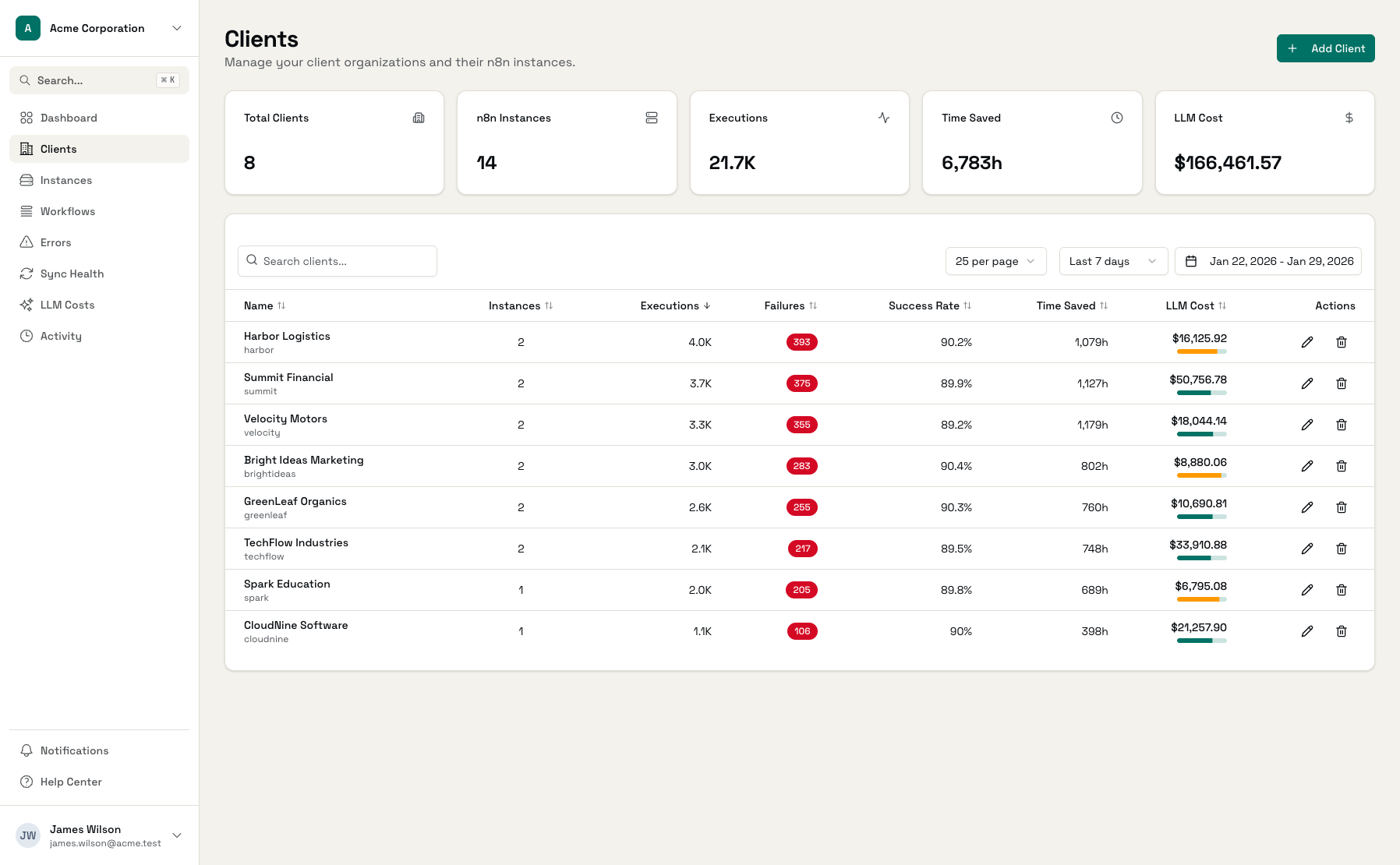
Error Details
Full context including sanitized payload and timestamps
More Than n8n's Execution Log
n8n logs errors. Administrate helps you find and fix them.
| Feature | n8n Execution Log | Administrate |
|---|---|---|
| Error logging | ||
| Automatic categorization | - | |
| Multi-instance view | - | |
| Filter by client | - | |
| Error trends over time | - | |
| Sensitive data stripping | - | Automatic |
| Direct links to workflow | Manual |
Start Catching Errors in Minutes
Connect n8n Instance
Add your n8n API key and assign to a client
Errors Sync Automatically
Failed executions appear within minutes
Filter, Fix, Repeat
Find issues fast and jump to n8n to resolve
Frequently Asked Questions
How are errors categorized?
How quickly do errors appear?
Is sensitive data from error payloads stored?
Can I see which workflow caused an error?
Does this work with n8n Cloud?
Can I get alerted when errors happen?
Stop Finding Out About Errors From Clients
Connect your n8n instances and see every failure across your client base.